SurfaceCast

Projection mapping for live shows

Put the picture exactly where the surface is.

SurfaceCast is a projection mapping console for Windows. Stack video, images and light on as many scenes as a show needs, warp each layer onto the thing it is being projected at, and run the show from the desk or from your phone.

Free and open source, for small venues, churches, schools, escape rooms and anyone with one projector and a surface that is not a screen. No account, no licence key, nothing sent anywhere.
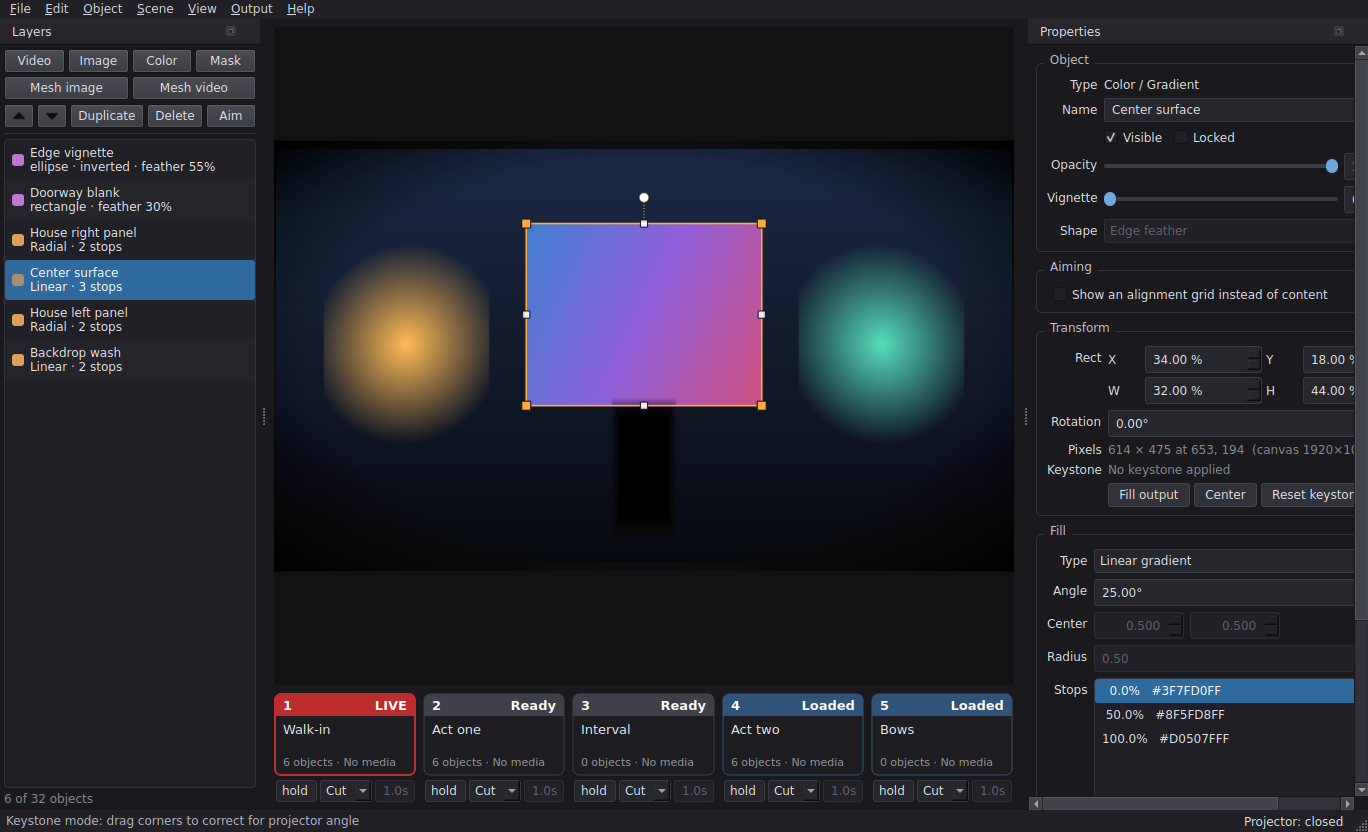
The SurfaceCast control panel running a show
The control panel: layers, preview, properties and the scene strip.

Built for the night of the show

Every design decision here assumes an operator standing at a desk at 19:55 with an audience coming in.

Preview and program

Edit one scene while another is live. The preview says EDIT - NOT LIVE when they differ, so there is never a doubt about what the audience can see.

Queue, then take

A number key queues a scene; the same key again takes it. Cut or cross-fade, set per scene. Nothing goes to the projector by accident.

Bounded memory

Scenes that are not on screen are checked but not decoded. A show can reference far more media than the machine could ever hold at once.

Autosave and recovery

While anything is unsaved the whole show is copied aside every minute. A clean exit deletes it, so finding one at startup is the crash signal.

It leaves evidence

A rotating log records the versions, every screen, the show as you run it and any internal error. One menu item writes a report to attach to a bug.

Fits a small screen

The console works at 1280×800, so a Surface Pro on a cramped front-of-house table is enough to run from.

Warp it onto the surface

Corner pin handles a flat panel hit at an angle. When the surface bends - a curved cyc, a column, an inside corner - a mesh warp cuts the picture into a grid and lets you pull each point onto the thing itself.

Aim before you align

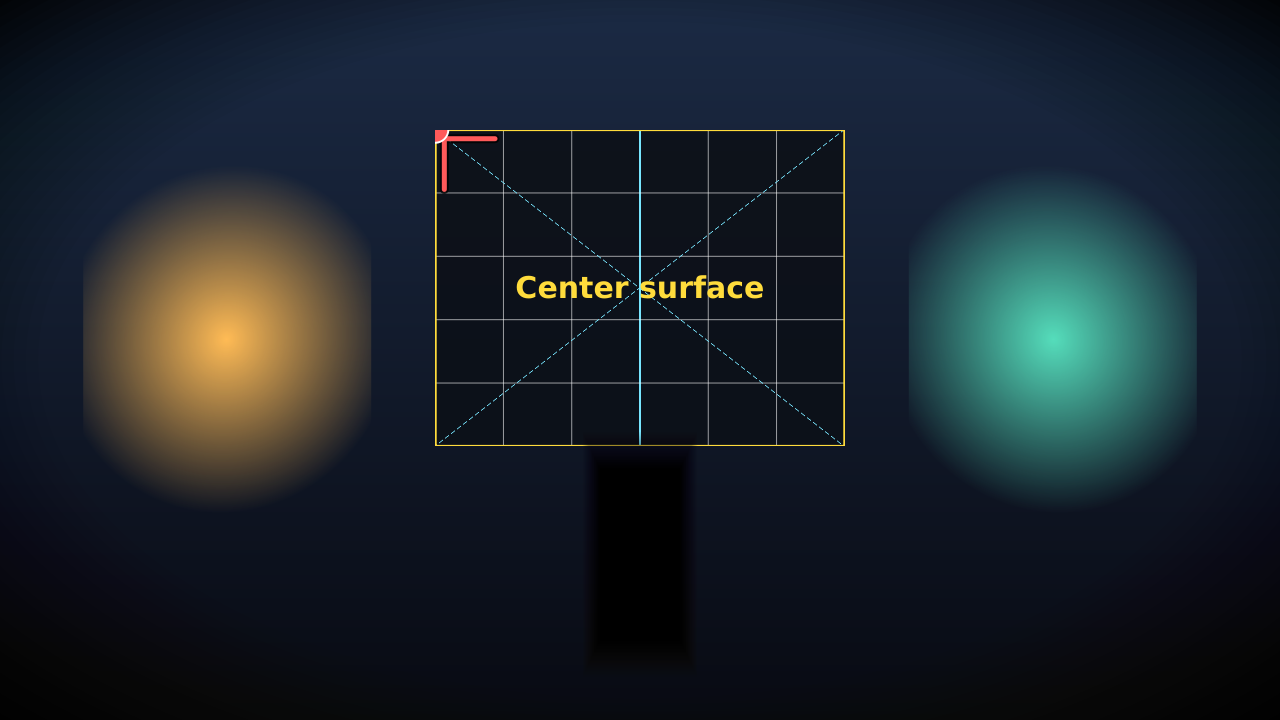
Any layer can show a numbered alignment grid on the output instead of its content, warped exactly as the content will be. Straight lines and square cells on the real surface mean the warp is right - before you have loaded any media.

It is a setup aid, and it is never saved with the scene.

A projector output with an alignment grid on one surface
The output with one surface aimed.
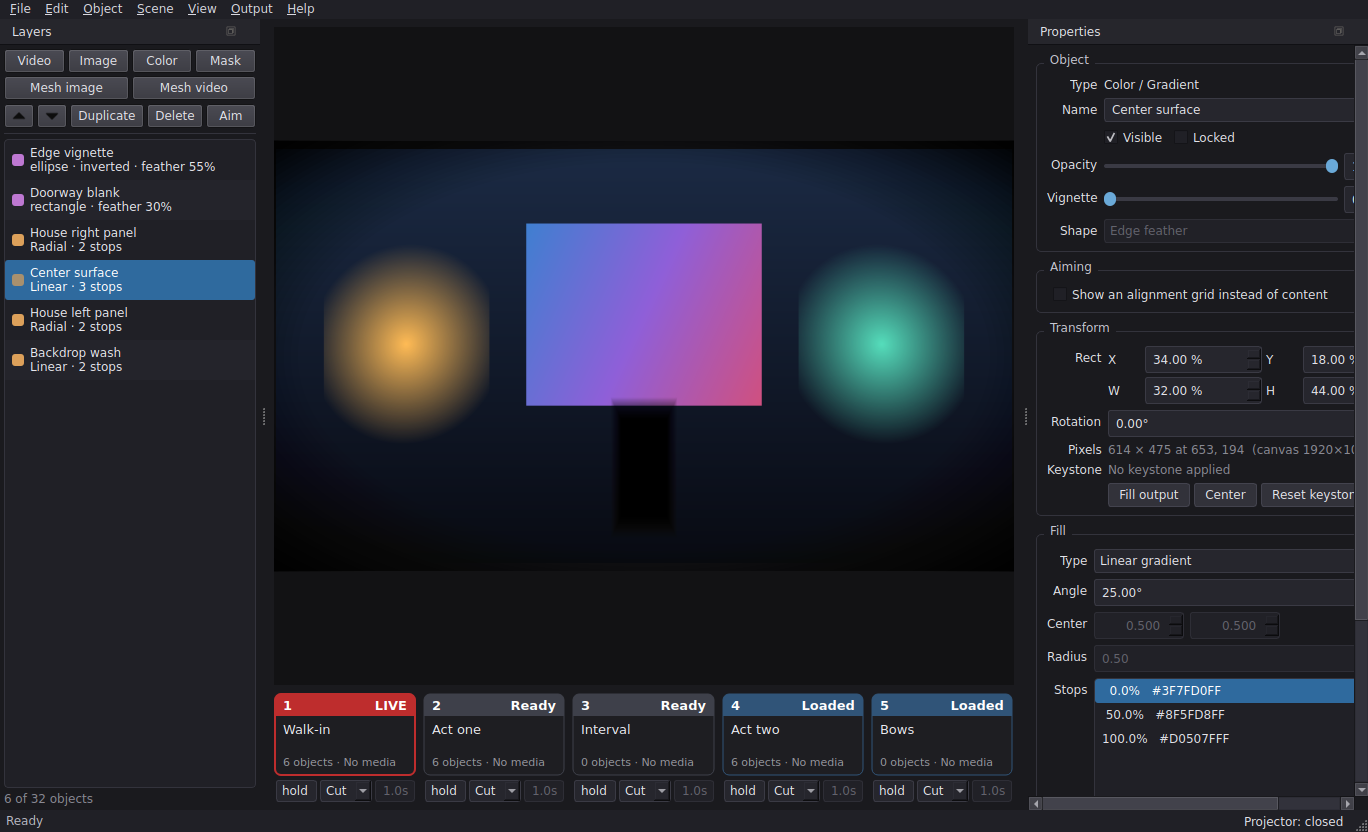
The control panel in keystone mode
Keystone mode: drag a corner, and the X/Y/W/H fields do not move.

Keystone that stays out of the way

Corner offsets are stored separately from the rectangle, so the position and size fields keep working after you have warped something, and the warp can be cleared without moving the object.

A mesh with one cell is exactly a corner pin, so you can start flat and subdivide when the wall turns out not to be.

Run it from your pocket

SurfaceCast can serve a small control page on the local network, so the show can be run from a phone while you stand where the audience is.

The remote control page on a phone
Show control: blackout, scenes, timer.
A scene queued on the phone remote
Queued, waiting for the take.
Editing a scene from the phone
Edit mode, with undo and the cue settings.

It is off by default, and it has no password. You choose which network adapter it listens on, and you are warned before it starts. That is fine on a private show network; it is not for public Wi-Fi. Editing and media upload are separate switches, both of which can stay off.

Is it for you?

It suits a band backdrop built from flats, a church stage that changes every season, school scenery between acts, an escape room that has to come up on its own, or a shop window with a laptop behind it.

It is not for blending two projectors into one image, for a show locked to timecode, or for being driven by a lighting desk. Those are said plainly rather than left to be discovered.

What you need

A Windows 10 or 11 laptop, a projector, and something awkward to point it at. No special graphics card, no internet, and nothing to sign up for.

Who it's for, in full →

Free software

SurfaceCast is published under the GNU General Public License v3 or later. Anyone who receives a build gets its source with it, and the same freedom to change it and pass it on.